Your iPhone is a
3D Scanner
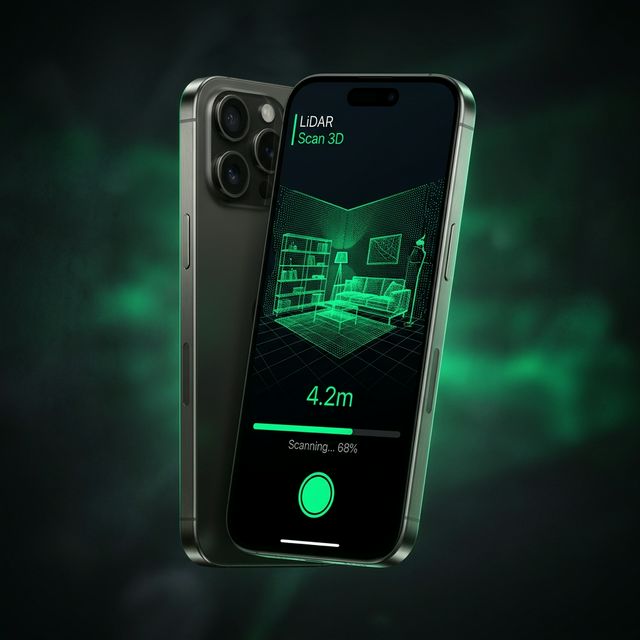
Point your iPhone at any room, object, or site. Get a precise 3D model in seconds. LiDAR-powered. On-device. No cloud.
Everything you need to
capture space
From a single room to an entire construction site — SpaceCraft adapts to your scanning needs.
Room-Scale Scanning
Capture entire rooms in under 60 seconds with millimeter-precise measurements using your iPhone's LiDAR.
Object Scanning
Walk around any object — furniture, sculptures, fixtures — and get a watertight 3D mesh ready for CAD.
Floor Plan Generation
Automatic 2D floor plans from 3D scans. Walls, doors, and windows detected and dimensioned automatically.
Multi-Format Export
Export to USDZ, OBJ, PLY, and LAZ. Direct integration with Rhino, SketchUp, Revit, and more.
Privacy-First
All processing happens on your device. No cloud uploads, no accounts, no data collection. Your scans stay yours.
AR Preview
View your scan in augmented reality, overlay measurements, and share interactive 3D models with clients.
Built for professionals
who measure space
Architects
Existing conditions documentation. Scan a building in the field and bring the 3D model straight into your CAD workflow.
Interior Designers
Walk through a client's space once, get exact room dimensions, and design with confidence knowing every measurement is accurate.
Real Estate
Create immersive 3D walkthroughs of properties. Floor plans, measurements, and AR previews — everything buyers need.
Construction
Progress documentation, clash detection, and quality assurance. Compare as-built scans against the design model.
Three steps to a
perfect 3D model
Point & Scan
Open SpaceCraft and point your iPhone. Walk slowly around the space. The LiDAR sensor captures millions of depth points while the camera captures texture data.
Process On-Device
Neural Engine processes depth frames, generates mesh geometry, applies textures, and creates a clean 3D model — all in under 8 seconds on your device.
Export & Share
Export as USDZ, OBJ, PLY, or LAZ. Open directly in Rhino, SketchUp, Revit, or share AR models with clients via a simple link.
How SpaceCraft compares
One price.
Unlimited scans.
No subscriptions. No credits. Buy once, scan forever.
SpaceCraft Pro
one-time purchase
- ✓ Unlimited room & object scans
- ✓ All export formats (USDZ, OBJ, PLY, LAZ)
- ✓ Auto floor plan generation
- ✓ AR preview & sharing
- ✓ Offline processing — no cloud
- ✓ All future updates included
- ✓ No account required
- ✓ No data collection
Requires iPhone 12 Pro or later with LiDAR sensor
Common questions
Which iPhones support SpaceCraft?
SpaceCraft requires a LiDAR sensor, available on iPhone 12 Pro and later Pro/Pro Max models, as well as iPad Pro (2020+). The app works best on iPhone 14 Pro or later for optimal processing speed.
How accurate are the scans?
SpaceCraft achieves ±2mm accuracy at room scale (up to 5 meters distance). For larger spaces, accuracy is within ±5mm. This is professional-grade and suitable for architectural as-built documentation.
Does it work offline?
Yes, completely. All scanning and processing happens on your device using the Neural Engine. No internet connection, no cloud upload, no account required. Your data stays on your phone.
What file formats can I export?
USDZ (Apple ecosystem & AR), OBJ (universal 3D), PLY (point cloud), and LAZ (compressed point cloud). These formats work with Rhino, SketchUp, Revit, Blender, AutoCAD, and more.
Is there a subscription?
No. SpaceCraft is a one-time purchase of $4.99. You get unlimited scans, all export formats, and all future updates. No hidden costs, no credit system.
Turn your iPhone into a
professional 3D scanner
One-time purchase. No account. No subscription. Just point, scan, export.